Centralized live dashboard
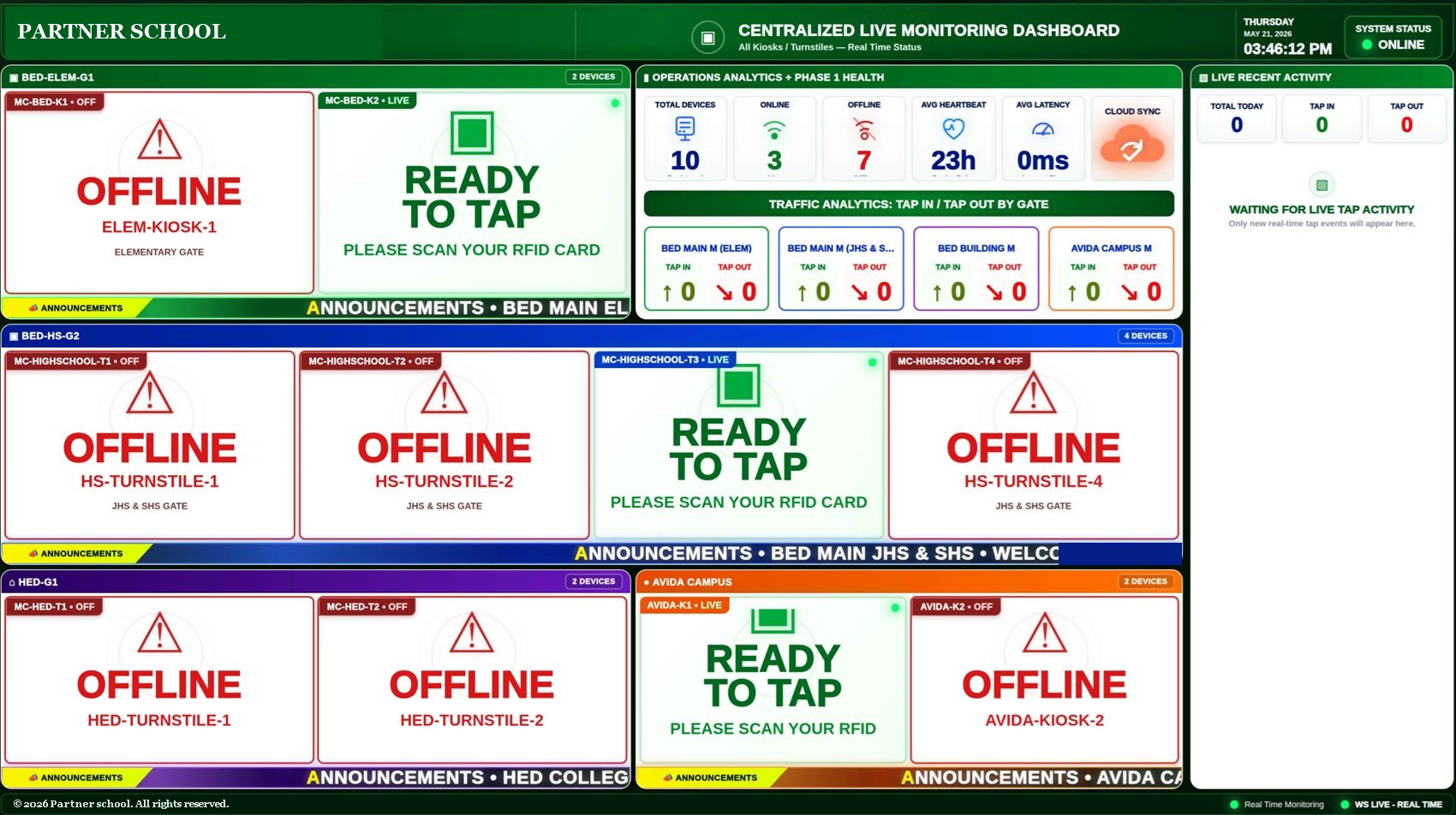
Real-time taps, multi-gate visibility, online and offline device status, gate traffic analytics, cloud sync monitoring and a large-screen MIS display.
Smart RFID for schools
The student taps. The gate opens, the dashboard updates and the parent's phone lights up. All in about a second, and it keeps working when the internet doesn't.
providing RFID solutions.
Through the years of service, we also reached some parts of Visayas and Mindanao
in private & public schools.

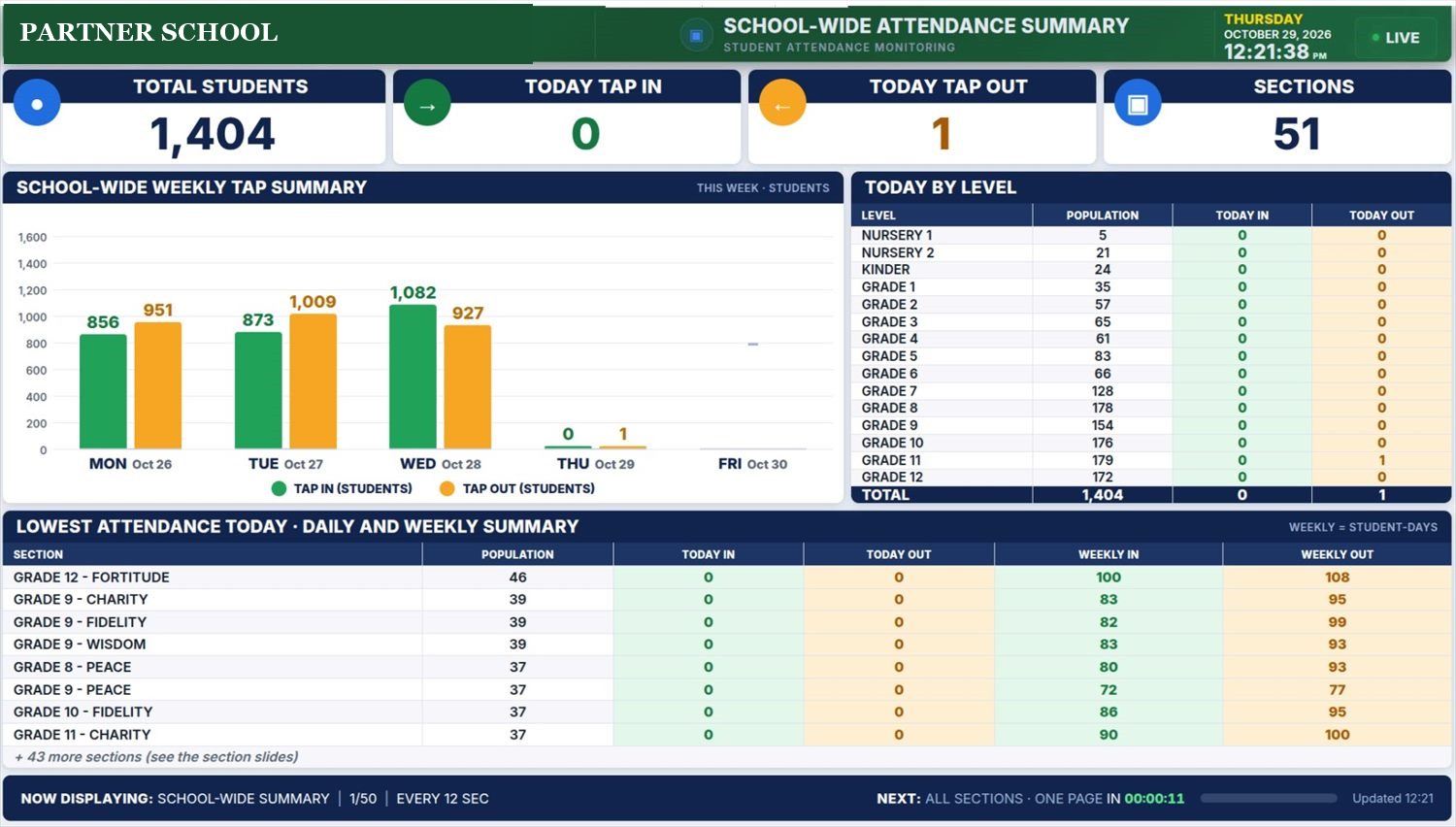
The Centralized Live Monitoring Dashboard and the School-wide Attendance Summary turn thousands of taps into answers: who is in, which gate is busy, which device needs help, which section is missing.
 1
2
3
4
5
Feature 1
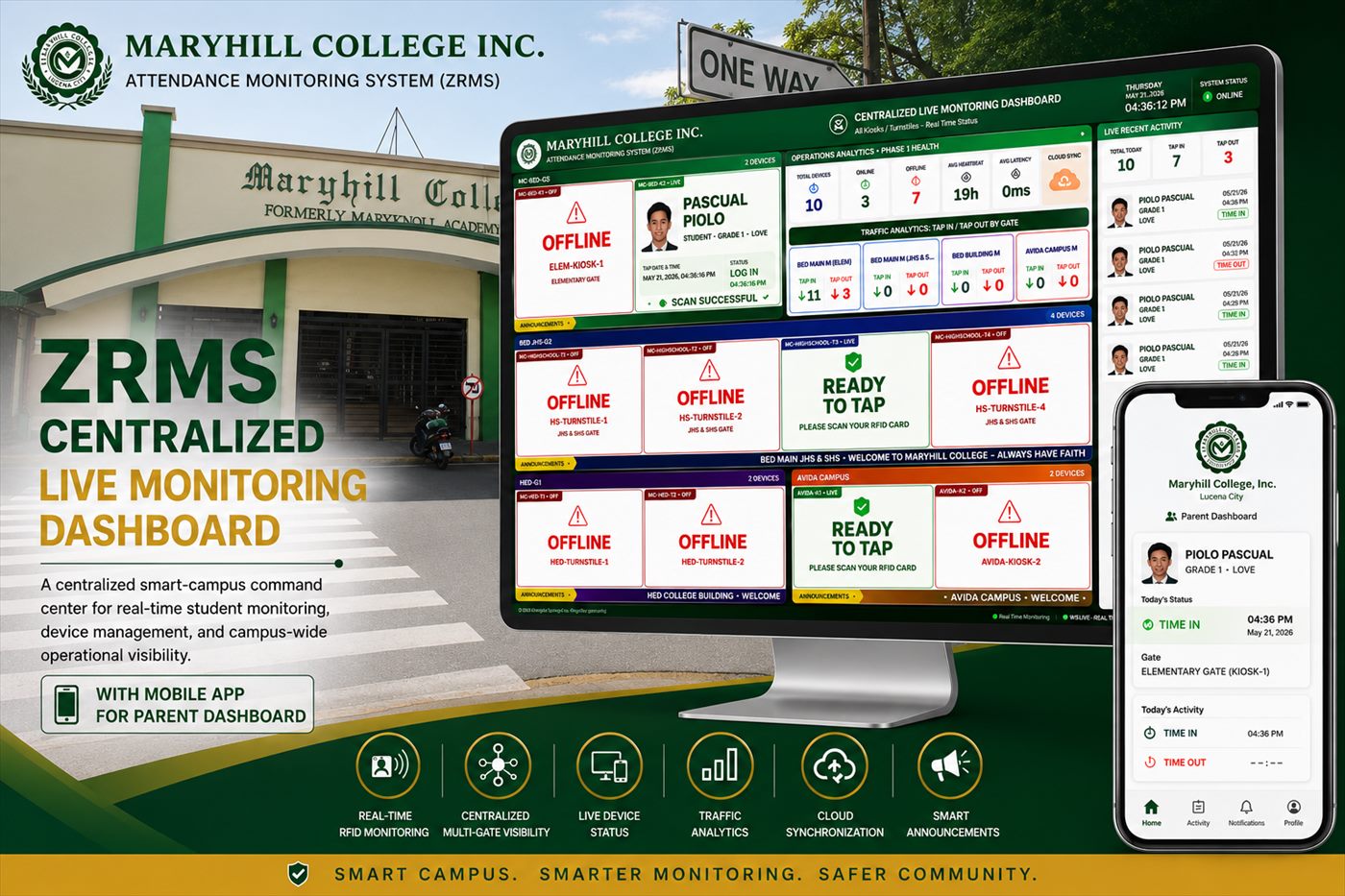
The command center for the admin and MIS office, built for a large wall screen.
This capture was taken after school hours, so most devices read offline. That is exactly what the board is for.
 1
2
3
4
5
Feature 2
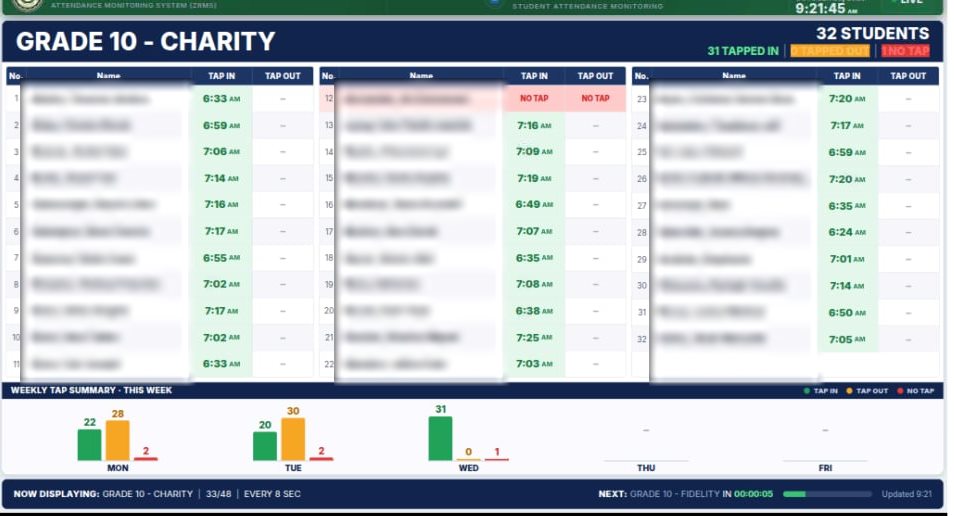
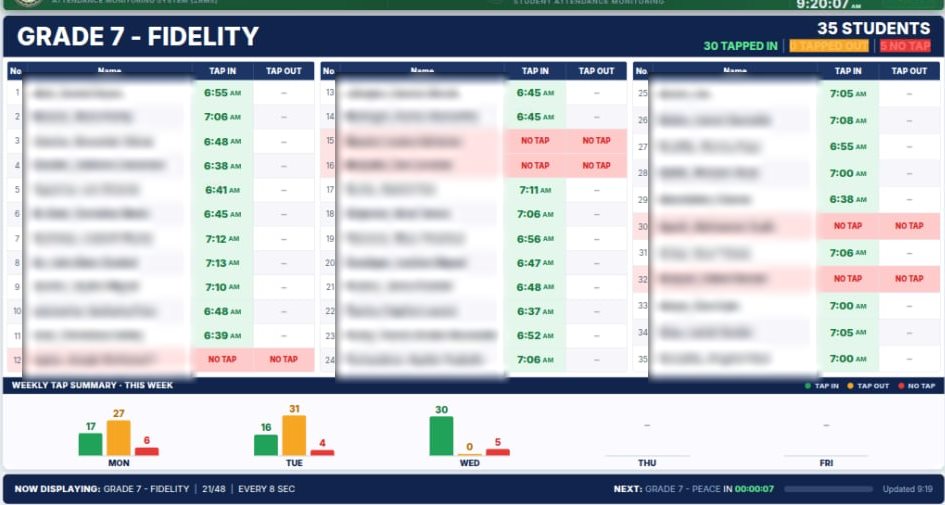
Daily and weekly attendance for the whole school, on a screen that rotates by itself.
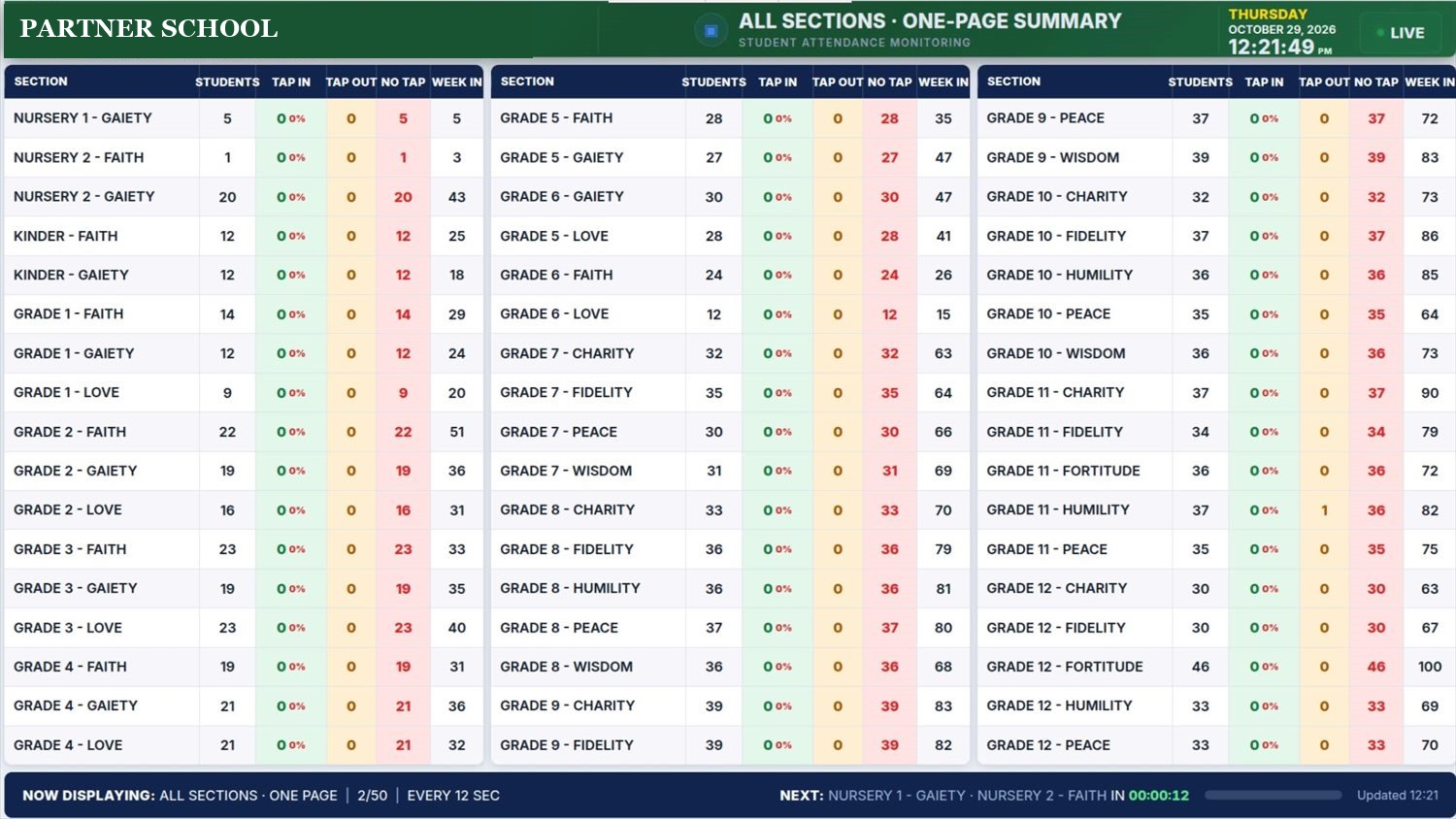
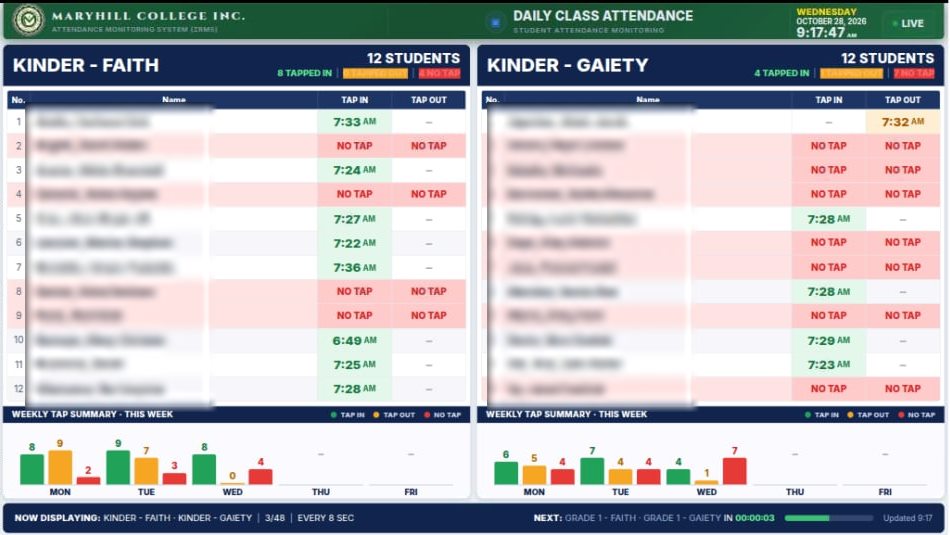
Also on the big screen
Teachers and registrars see who tapped in, who tapped out and who has not tapped yet, section by section. Names are blurred in these samples for student privacy.
Gate security
A turnstile opens only for a valid tap, one student at a time. Guards stop being the only line of defense, and the school always knows who is inside.
Blocks unauthorized accessUnregistered, expired or invalid cards never open the gate, and no one can tailgate through.
Knows who is on campusEvery entry and exit is logged, so in an emergency the school has a real headcount.
Parents are told right awayA push notification confirms the child arrived or left safely.
PLEASE SCAN YOUR RFID CARD

GRADE 10 · FAITH
✓ TIME IN 7:15 AMUNREGISTERED CARD
Interactive demo. The real gate works the same way.
Why adopt RFID
A push notification reaches the parent's phone at the gate tap. No texting load, no calls to the front desk.
Time-in and time-out are captured at every gate. Reports and DTR are ready when you need them.
Entries and exits per gate, live. Guardians pick up with their own registered cards.
Each gate keeps a local database and keeps working offline, then syncs to the cloud when the link returns.
Alerts go through the mobile app, so cost does not grow with every message.
Several schools on one system, each kept separate and visible to the right people.
Inside ZRMS
Every image below is a capture from a working ZRMS deployment.
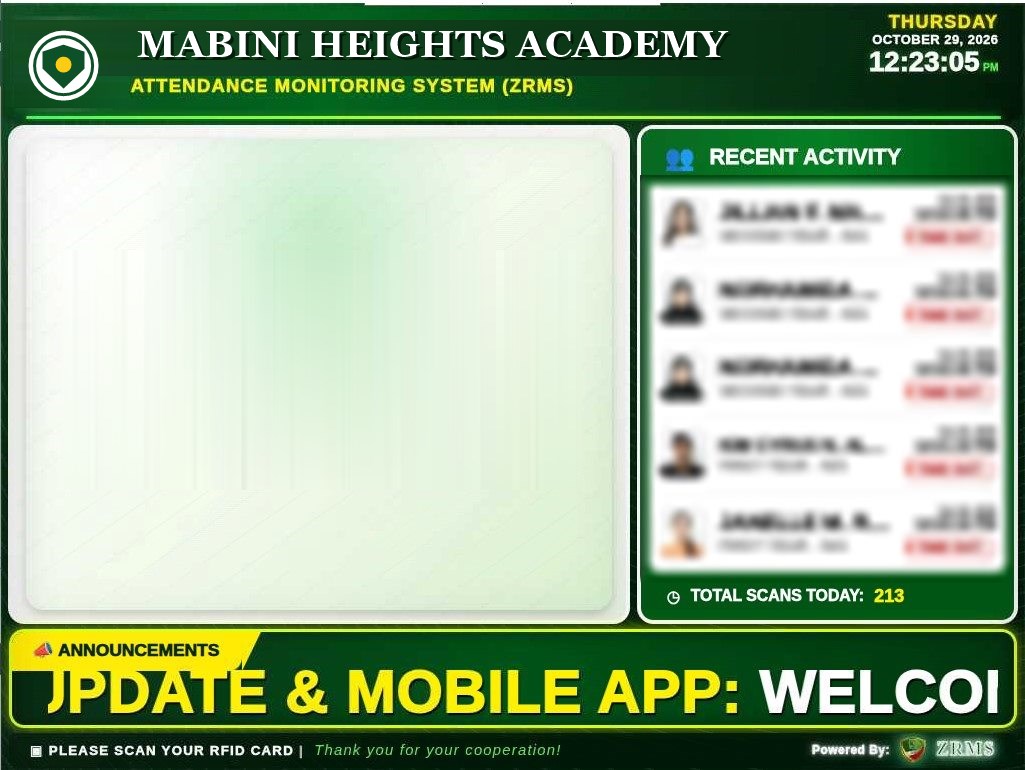
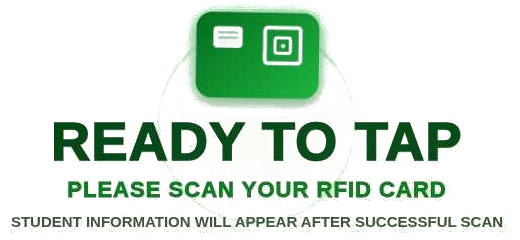
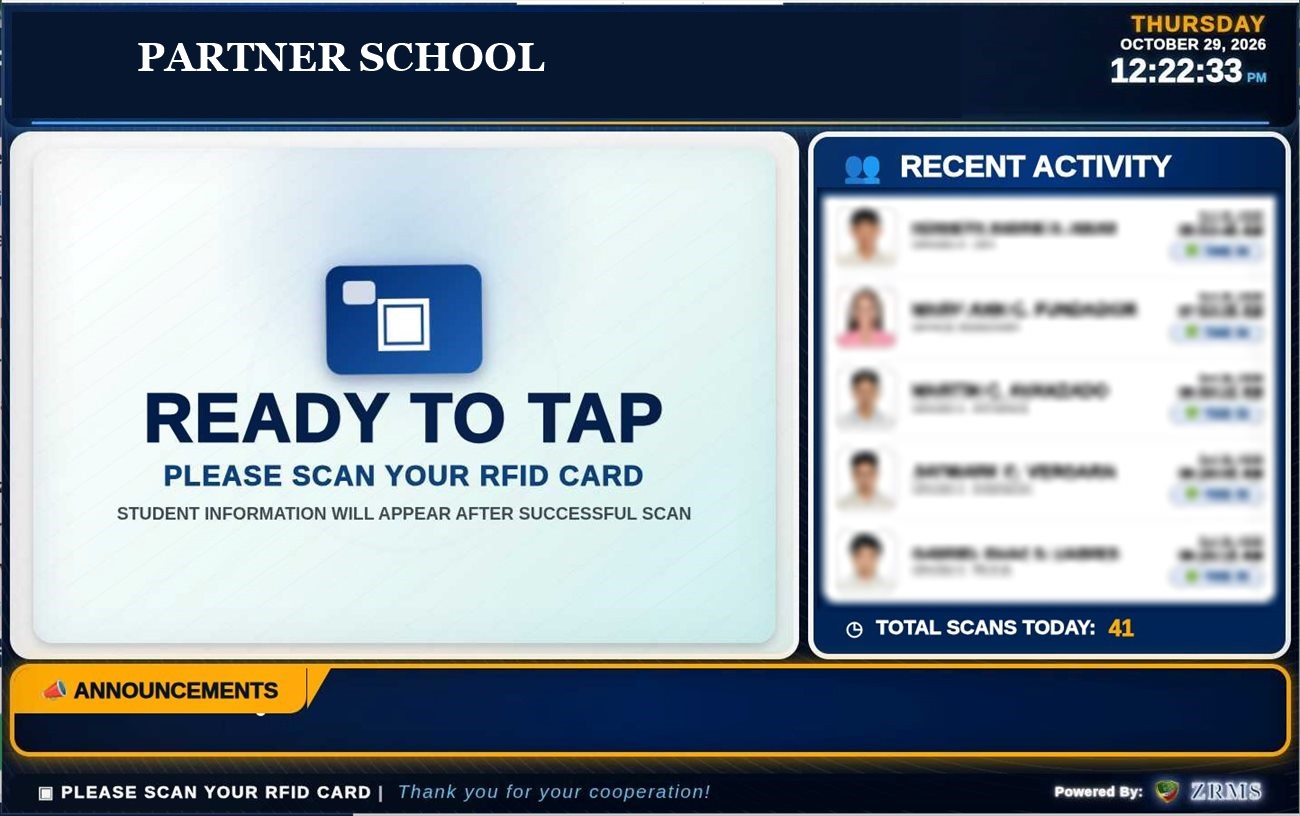 Kiosk in idle mode · Partner school, blue theme"Ready to tap" with a live recent-activity list, today's scan total and a school announcement bar. Student photos and names are blurred here for privacy.
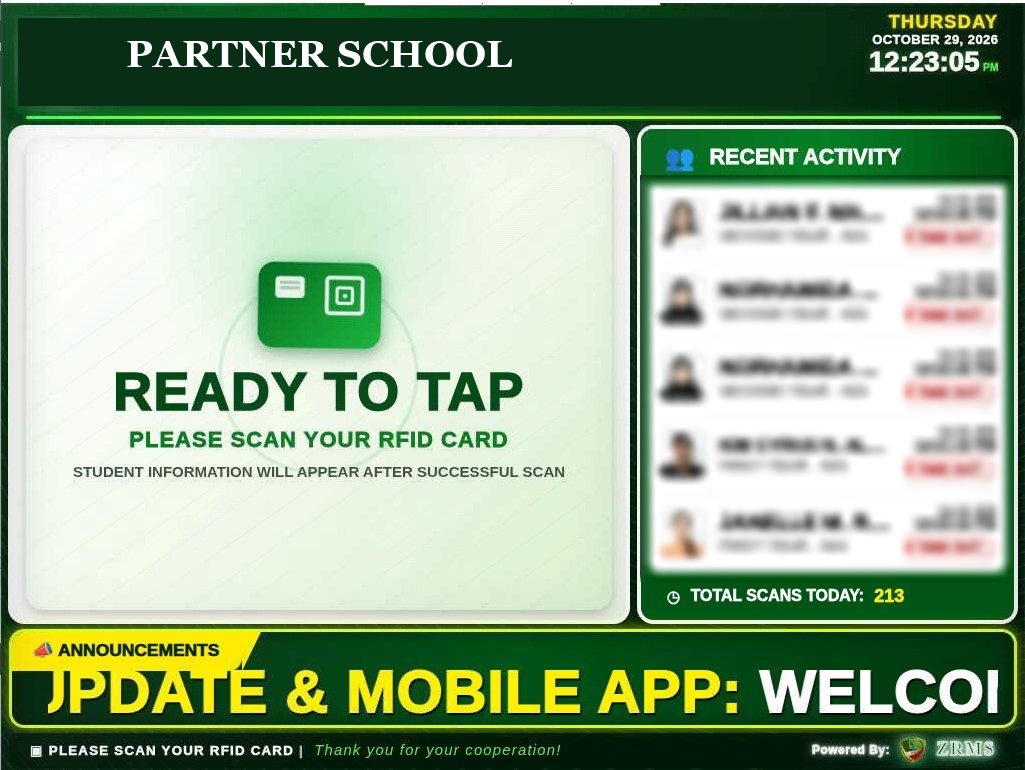 Kiosk in idle mode · Partner school, green themeSame system, school-branded green theme, with scrolling announcements and a live scan counter. Each school gets its own look.
On a tap the screen switches to the student's photo, name, grade and a large TIME IN or TIME OUT, then returns to standby.
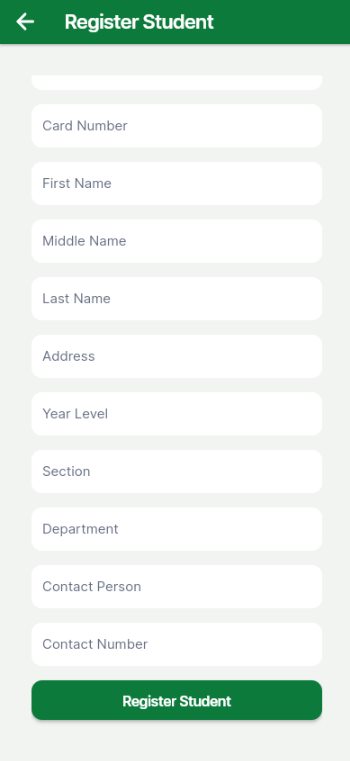 Register studentsAdd a student and bind the RFID card from the phone, or upload in bulk from the web.
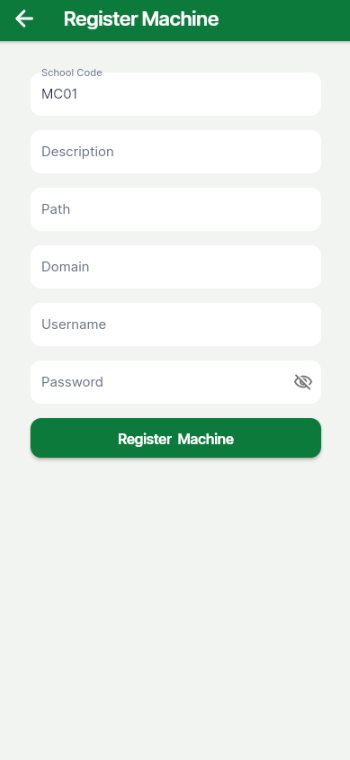 Register machinesAdd a kiosk or turnstile to a school and gate. Admin access only.
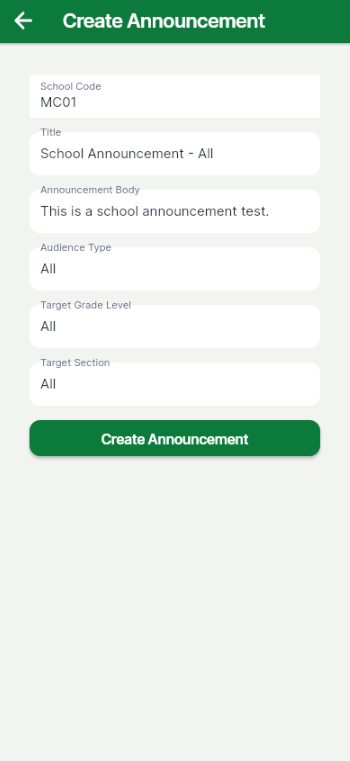 Create announcementsWrite once, target the whole school or one grade. It reaches kiosks and parents.
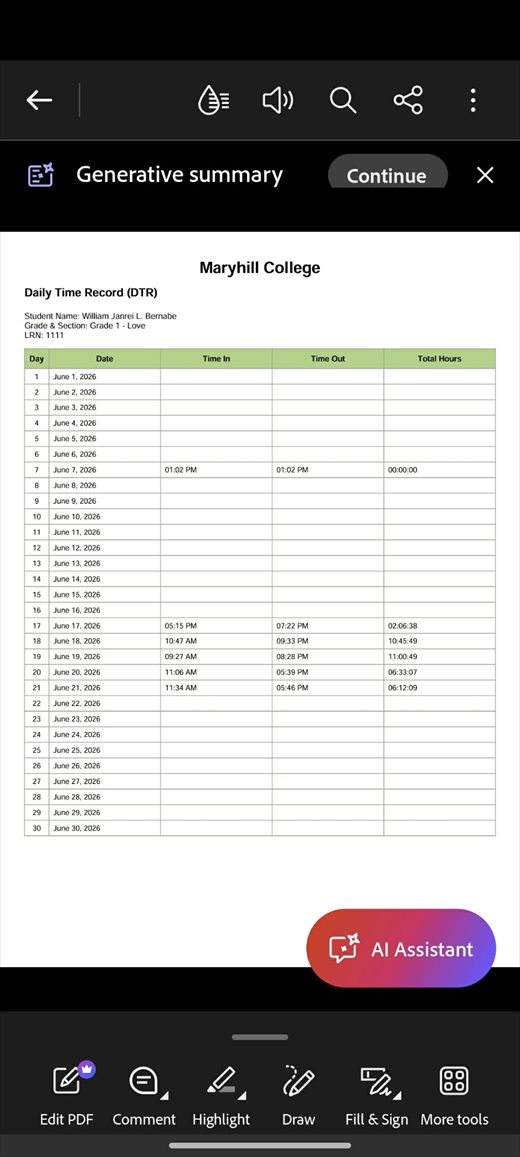 Daily Time Record, as a PDFParents and staff download a time-in and time-out record for the last 7, 14 or 30 days.School-wide weekly summaryTap-in against tap-out per day and per grade level. Filter by grade, section, department and date range.
Parent mobile app · Android & iOS
Parents install ZRMS from the App Store or Google Play, enter the school code, link their child and get a push notification on every tap. They can also read announcements and download attendance reports. Branding and theme are customized per school.
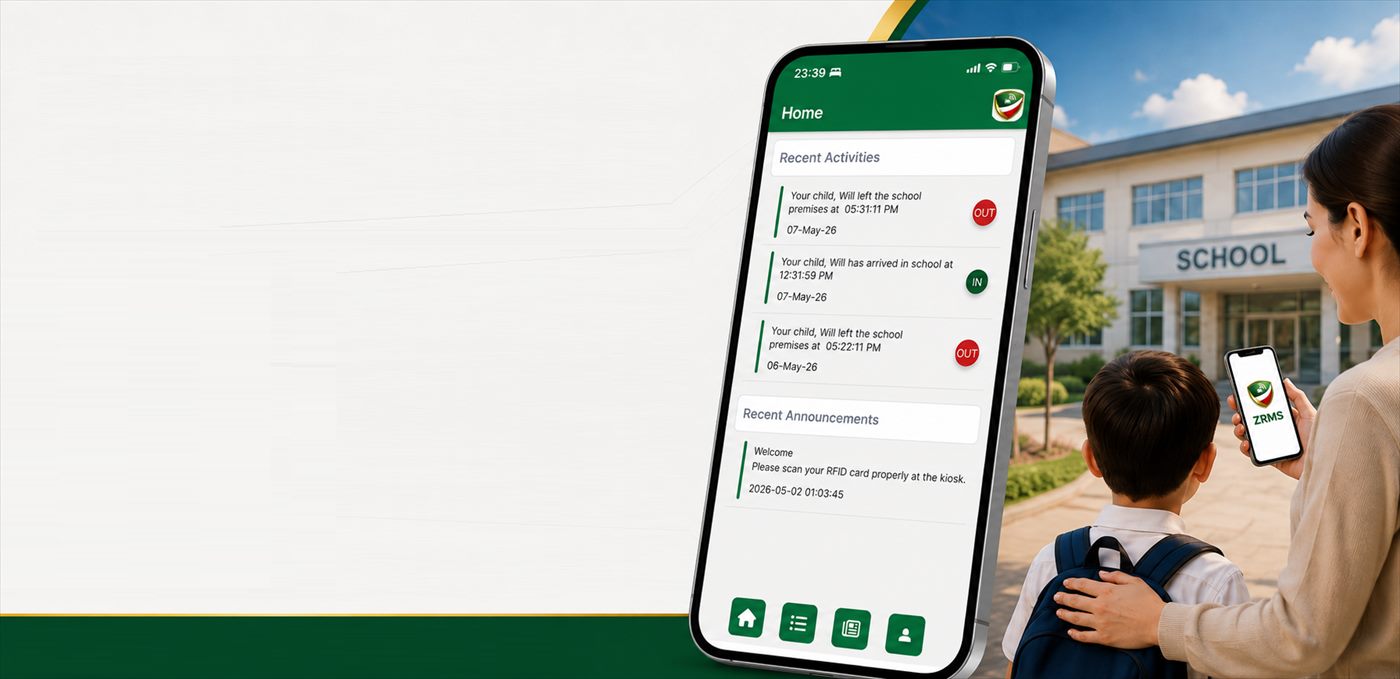
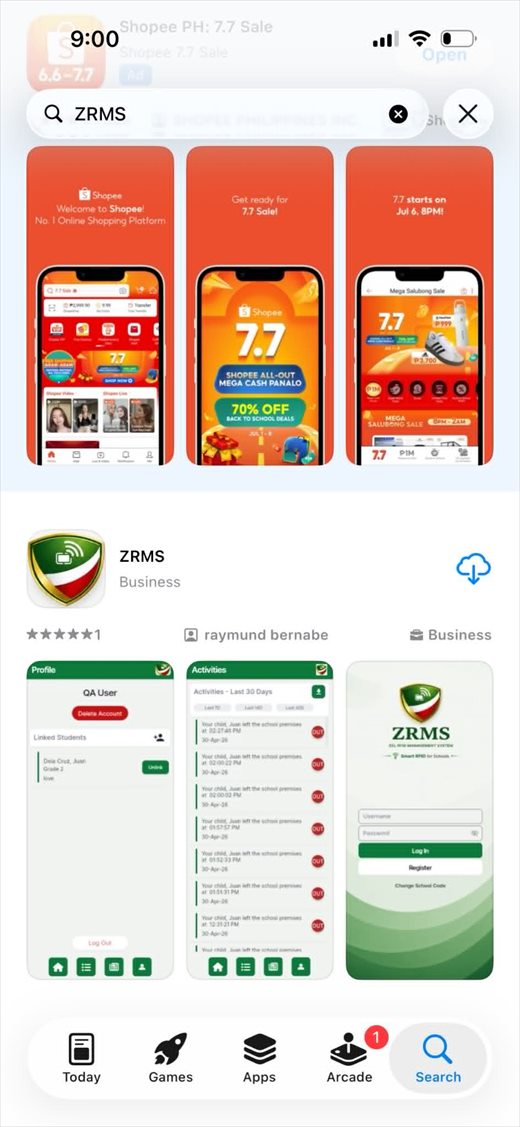
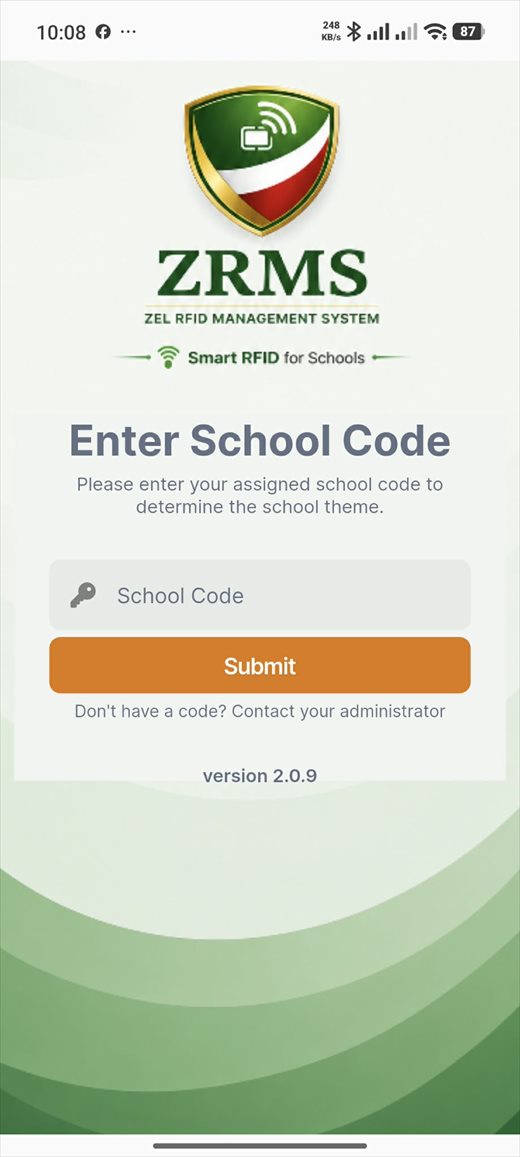
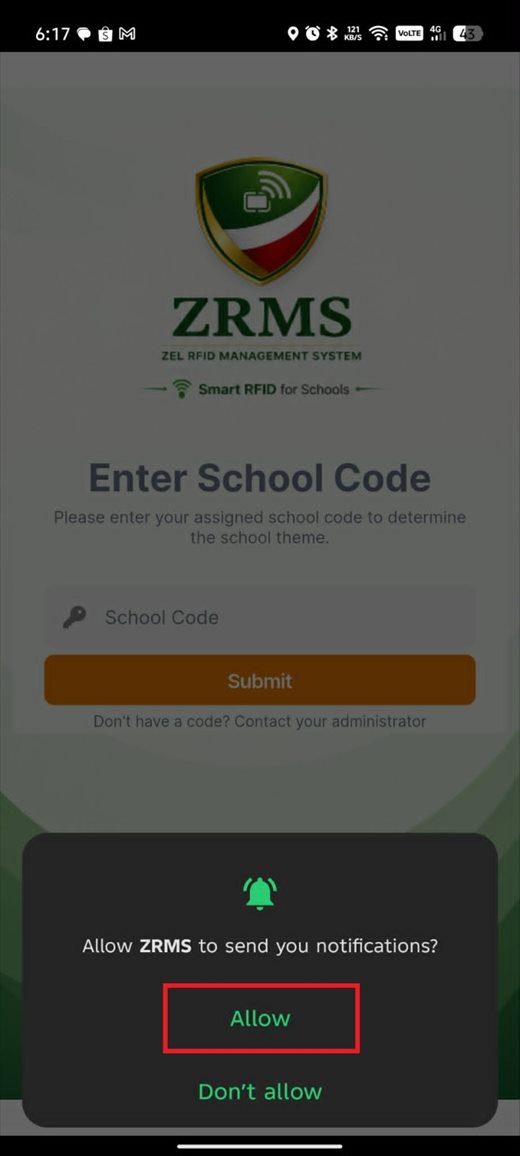
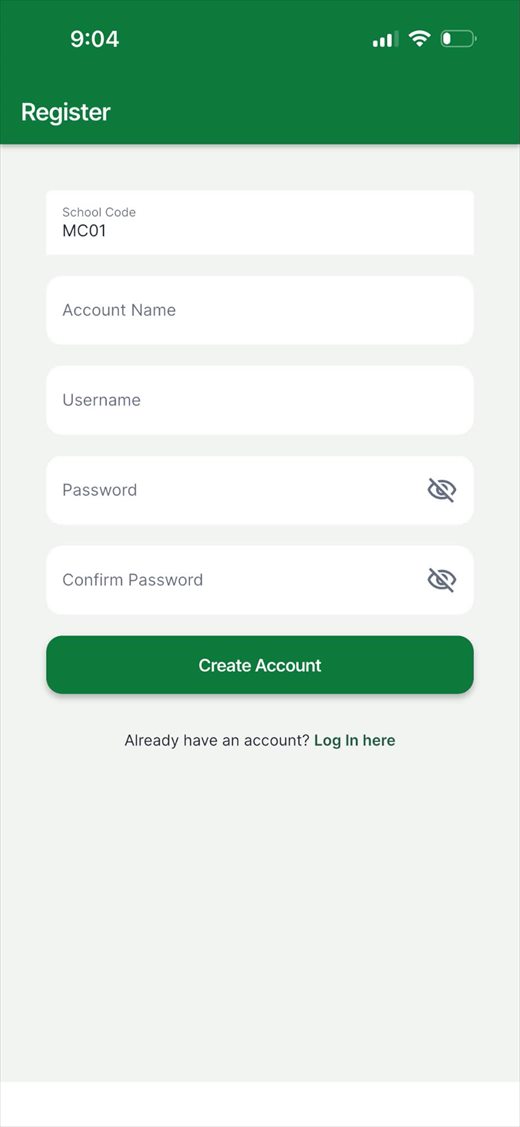
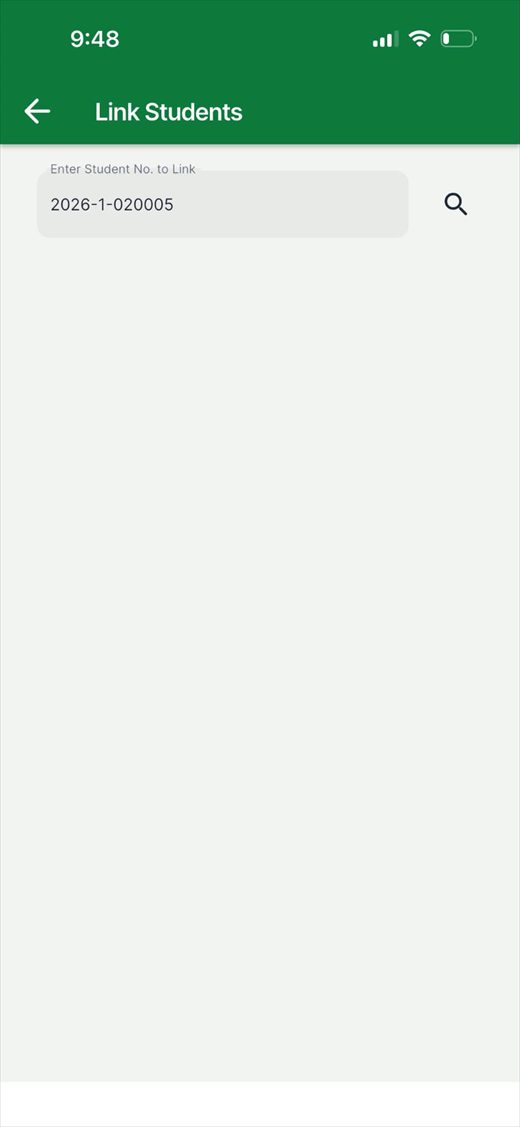
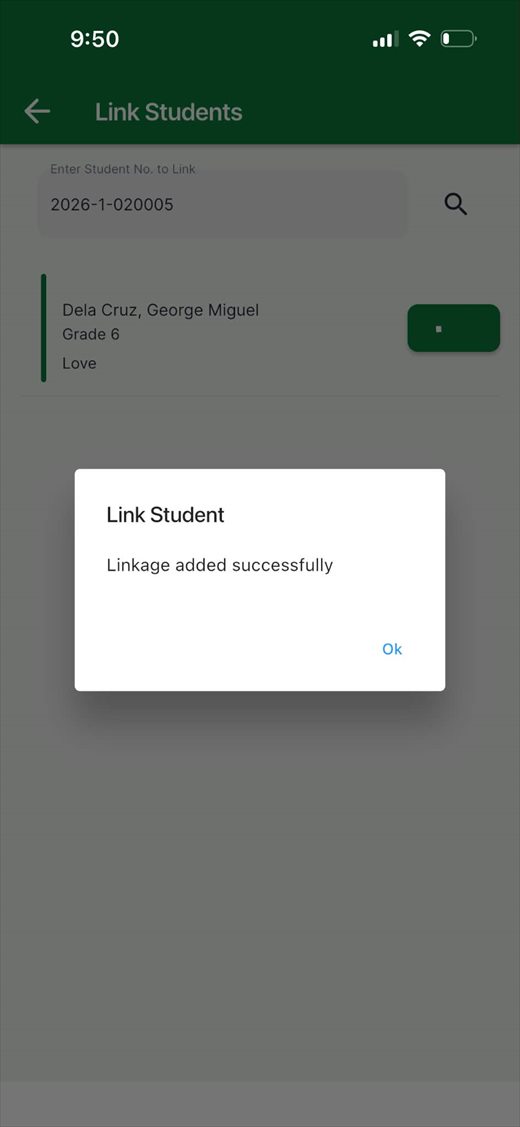
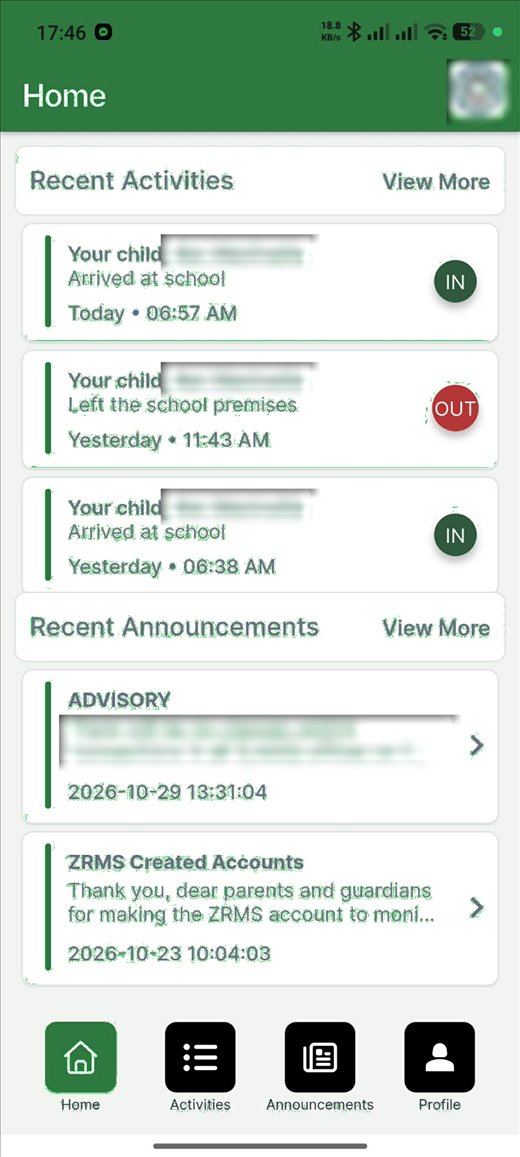
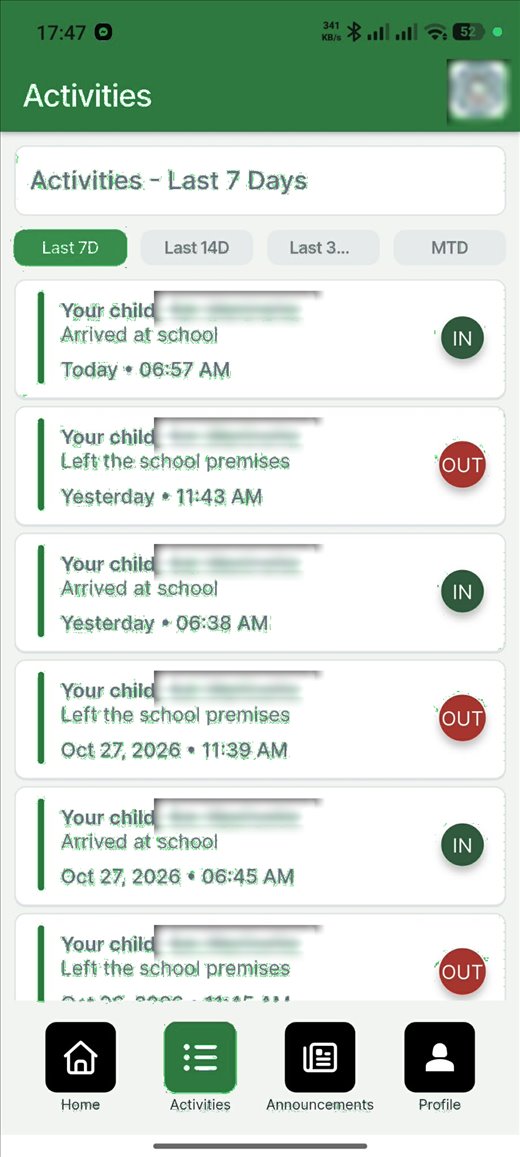
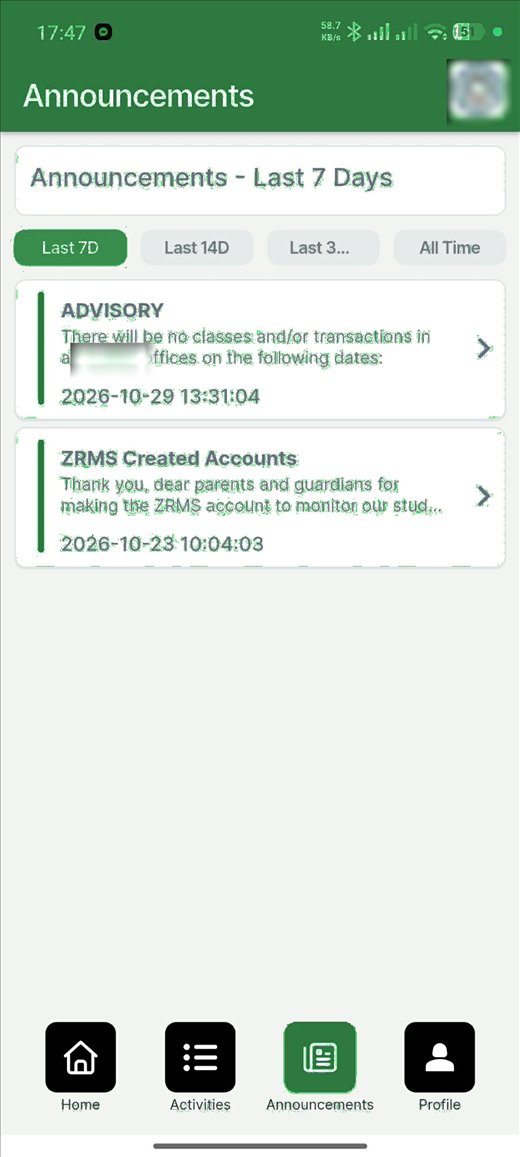
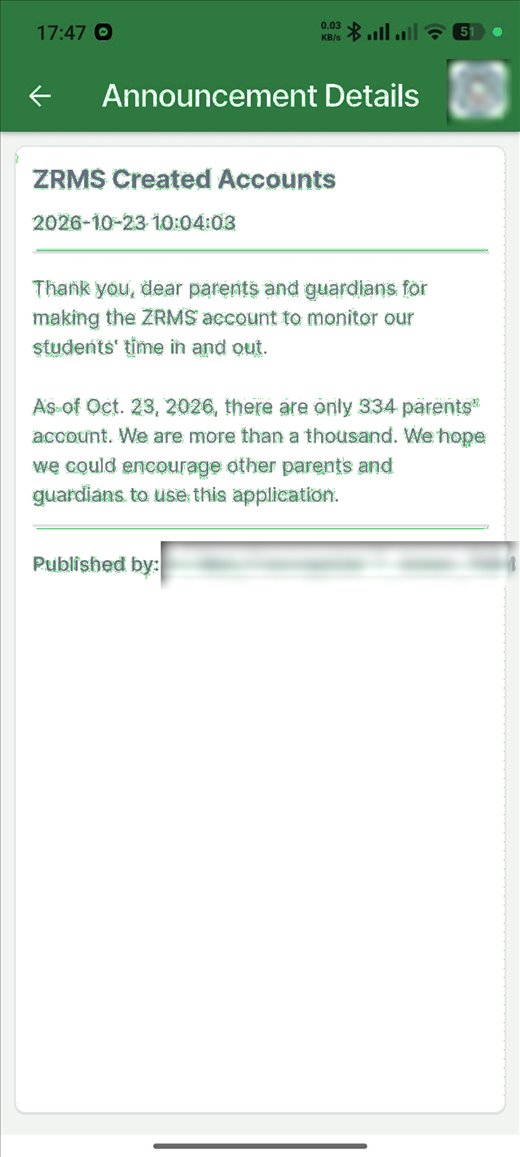
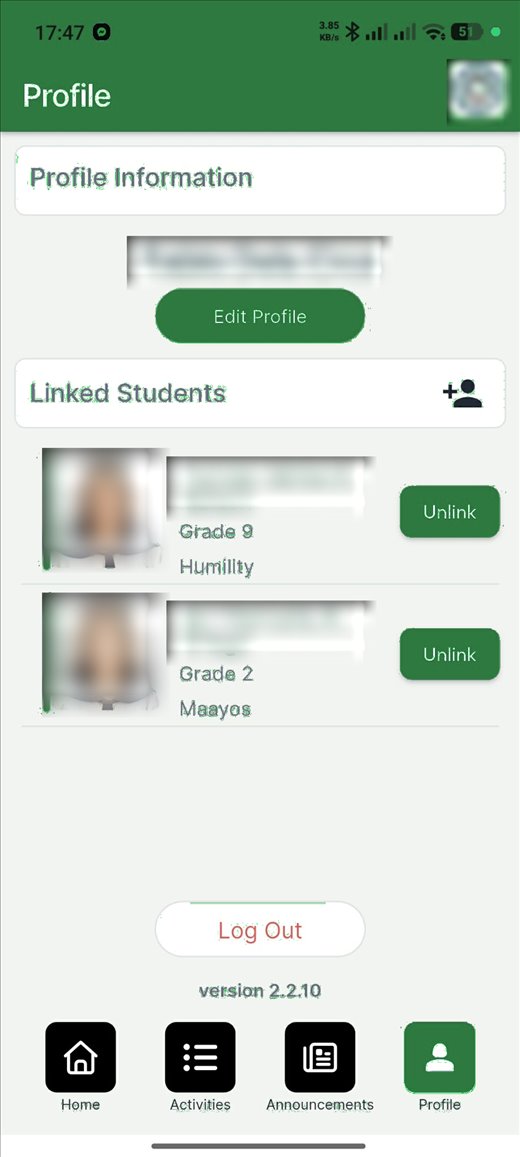
Student names, photos and school identity are blurred for privacy.
Everything included
Designed as a smart-campus command center, not a pile of separate tapping machines.
Real-time taps, multi-gate visibility, online and offline device status, gate traffic analytics, cloud sync monitoring and a large-screen MIS display.
Instant Time In and Time Out with photo verification, tuned for high-traffic entrances. Idle standby switches to tap mode on approach.
Push notifications on every tap, activity feed, announcements and multi-student linking. No SMS credits needed.
Full tap history for students and employees, unregistered card detection, automatic card activation and school-year expiry.
PDF attendance reports, employee DTR, monthly summaries, and filters by grade, section, department and date.
Admin, Adviser and Parent access. Single and batch account registration, bulk RFID activation, audit trail and activity logging.
Send or schedule announcements to the gate kiosks, the dashboard and parents' phones.
Every tap is written to a cloud and a local database. Gates keep working offline and sync when reconnected.
Authorized guardians tap their own cards, linked to their wards, with their photo and name shown at the gate.
Several campuses on one platform, each with its own students, staff and devices.
How it works
The student taps an RFID card on the reader at the turnstile or kiosk.
The gate looks the card up locally and shows the photo and details.
The tap is saved on the device first, so it is never lost if the network drops.
The device sends the record to the cloud and the dashboard updates.
The parent's phone gets a push notification.
Hardware
Mix and match on one campus. Everything reports into the same dashboard.
Desktop reader for the registrar to enroll and re-issue cards into ZRMS. Free with deployment.
Standalone tapping station with touchscreen, instant Time In and Time Out and student photo verification. Ideal for secondary entrances.
Bi-directional gate with integrated tapping machine and 32" display. Physically limits entry and exit to a valid tap, with anti-passback and year-level access rules.
Bi-directional tripod turnstile with the same gate-control logic in a smaller footprint.
Seen on site
The tripod turnstile, the integrated RFID reader and the ceiling-mounted controller all come from the same builders as the software. This is a real campus entrance, not a render.
Railings are not included. Hardware is quoted per site.
Plans
Choose the complete deployment, or only what you need. Employee accounts, DTR reporting and administrator accounts cost nothing extra.
| Inclusions | Plan A | Plan B | Plan C | Plan D |
|---|---|---|---|---|
| In short | Complete packagePrinted ID cards, parent app and gate system. | Cards and gatePrinted ID cards and gate system. No parent app. | Full system, you print IDsThe complete ZRMS system with parent app. Your school prints its own ID cards. | RFID and turnstile onlyRFID system and turnstile setup. Your school prints its own ID cards. No parent app. |
| Rate per student / school year | Starts at₱450 | Starts at₱400 | Starts at₱350 | Starts at₱300 |
| Printing of RFID card | ✓ | ✓ | ✕ | ✕ |
| Lace with plastic ID jacket | ✓ | ✓ | ✕ | ✕ |
| Customizable ID design layout | ✓ | ✓ | ✕ | ✕ |
| Card enabling on tapping machine | ✓ | ✓ | ✓ | ✓ |
| ZRMS web dashboard and kiosk software | ✓ | ✓ | ✓ | ✓ |
| Mobile app (Android and iOS) | ✓ | ✕ | ✓ | ✕ |
| Push notification on entry and exit | ✓ | ✕ | ✓ | ✕ |
| Receive and send school announcements | ✓ | ✕ | ✓ | ✕ |
| Scheduled announcement broadcast | ✓ | ✕ | ✓ | ✕ |
| Cloud hosting and database sync | ✓ | ✓ | ✓ | ✓ |
| Tapping machine installation and maintenance | ✓ | ✓ | ✓ | ✓ |
| New network cabling installed | ✓ | ✓ | ✓ | ✓ |
| Software installation and system monitoring | ✓ | ✓ | ✓ | ✓ |
| Technical support and help-desk ticketing | ✓ | ✓ | ✓ | ✓ |
Plan C and D: coordinate with us for the correct RFID card specification. Rates start at the amounts shown, are VAT exclusive unless stated, and are confirmed at quotation based on your school's size and requirements. Railings are not included.
Rollout
Site survey and planningGate assessment, kiosk placement, network and power needs, access rules per year level.
2–3 working daysData onboardingBatch upload of student and employee records, grade, section and department mapping, school-year setup.
3–5 working daysID productionPicture taking and editing, layout approval, RFID card printing and card-to-account binding.
30–45 working daysHardware installationKiosk and turnstile mounting, network cabling, display installation and on-site commissioning.
7–10 working daysSystem configurationCloud deployment, local database sync, dashboard setup, announcement and notification setup.
3–5 working daysTraining and turnoverAdministrator, adviser and MIS training, parent app orientation materials and documentation.
1–3 daysPhases 2 and 3 can run alongside phase 4 to shorten the schedule. One-year warranty on parts and service, then a yearly service maintenance agreement.
Company background
We are Zelektronika Communication, Engineering & IT Solutions, a Filipino technology company founded by Daniel and now strengthened by a committed business partner and a dedicated team. For more than a decade we have built RFID technology for schools. ZRMS, the Zel RFID Management System, is our flagship.
A locally hosted RFID attendance system with SMS notifications, built and installed by us for schools in Quezon Province.
Years of real campuses, real gates and real parents taught us what a school attendance system has to survive: crowded entrances, power cuts and patchy internet.
Our longest-standing school partners stayed with us, on the strength of the product and the relationship. We used that trust to rebuild ZAMS into a cloud platform with push notifications, a mobile app, web administration and a live command center.
The rest of this school year goes into product, infrastructure and team, ahead of a nationwide rollout next school year.
The core development and turnstile integration of our own smart RFID controllers is complete, together with the working features of the ZRMS mobile and web apps. The platform stays in continuous development as we make it more reliable, secure and scalable, and we are bringing AI into how we build, operate and plan the product.
We want ZRMS to serve schools throughout the Philippines and become the country's leading RFID-based platform for school attendance, communication, security and monitoring. With the right people and the right opportunities, we also see it serving schools abroad as a globally competitive, Filipino-developed solution.
This is more than a comeback. It is the beginning of a bigger mission.
We welcome schools, educators, business leaders, investors, technology experts and mentors who share this vision. We have a working product, proven demand and more than a decade of experience. We would be glad to present ZRMS and show you what it can do today.
providing RFID solutions.
Through the years of service, we also reached some parts of Visayas and Mindanao
in private & public schools.
Why Zelektronika
Public schools and local governments
Technology like this works best with the support of the local government. We offer to present ZRMS and run a pilot implementation, with RFID ID cards, turnstiles and kiosks at the gate, a central dashboard and a parent app, in selected public schools. A successful pilot can become a model for other towns and cities.
 ×
Book a demo. We will show you a live tap, the command center and the parent app, then plan the right gates, hardware and plan for your campus.
Request a demo or call 0906-013-3971